Open source · Human-approved AI
Find what broke. Fix it safely.
When a website breaks, real people feel it. AI Incident Commander gives on-call teams one place to see the problem, get an AI explanation with proof, and approve a fix with a second person. Every step is on the record.
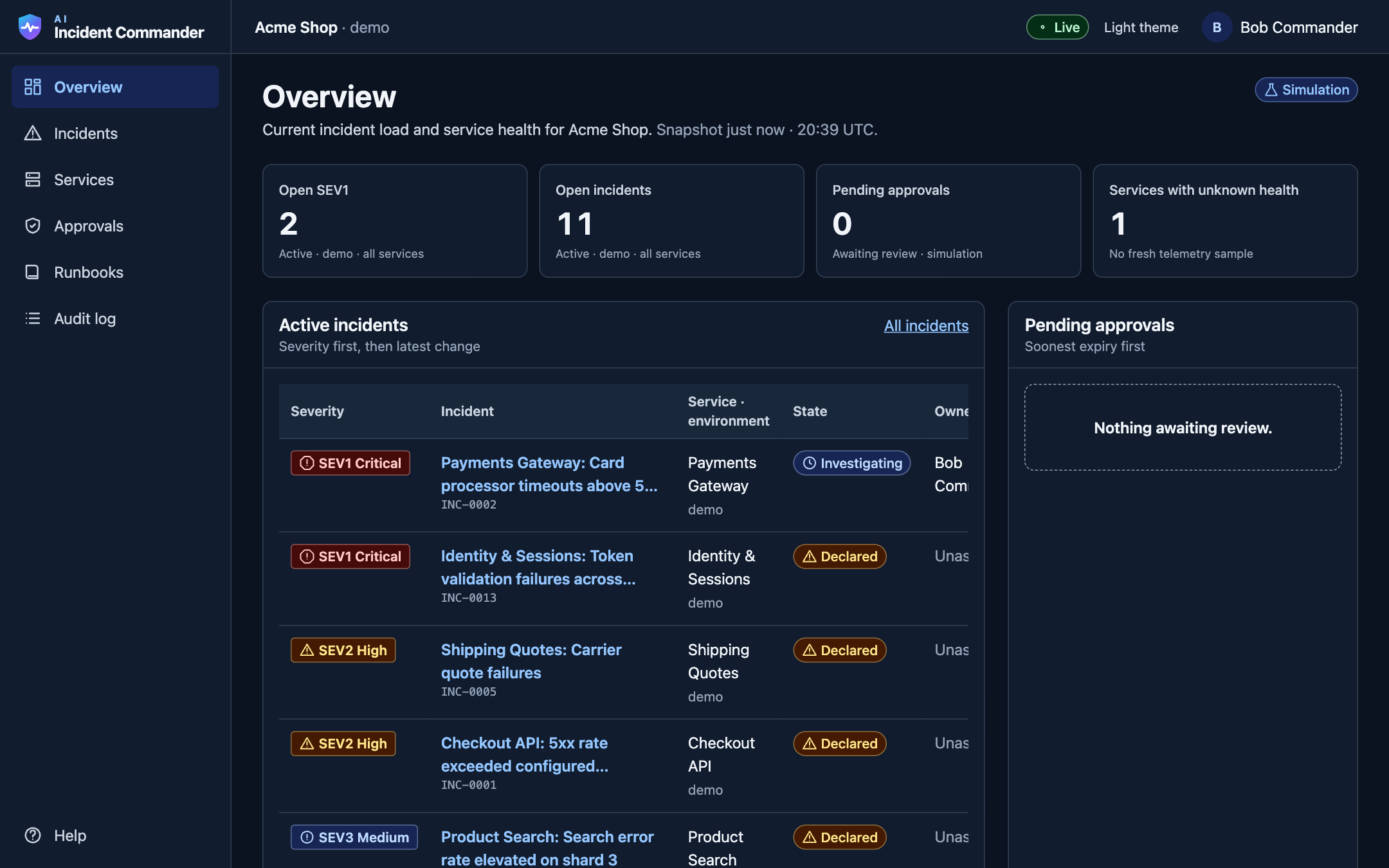
Try it yourself
Sign in as anyone. Try every role.
This is the real dashboard running in your browser with sample data. Pick a person: each role sees different things and can do different things. Nothing you do leaves your browser, and you can reset it any time.
Bob
Commander and responder · Acme Shop
Acknowledge the checkout incident and ask for the AI suggested rollback. Then try to approve it yourself.
Sign in as BobCarol
Commander · Acme Shop
Review and approve Bob's request, then watch the fix run. The Payments request shows how an uncertain result is reconciled.
Sign in as CarolAlice
Responder · Acme Shop
Acknowledge incidents, comment, ask for a fresh diagnosis. Approvals and the audit log are off limits.
Sign in as AliceErin
Auditor · Acme Shop
Read the audit log and every approval. Look, but nothing can be changed.
Sign in as ErinDave
Admin · Acme Shop
Manage plugins: test a connector, narrow its grants or switch it off. Admins cannot approve fixes.
Sign in as DaveGina
Commander · Globex Corp
A different company in the same app. Gina sees only Globex and cannot open any Acme page.
Sign in as Gina
A two-minute story to try
- 1. Bob
Click "Send a test alert" and watch it appear live.
- 2. Bob
Open the Checkout incident, acknowledge it, and request the rollback.
- 3. Bob
Try to approve it. The app refuses: someone else must decide.
- 4. Carol
Use "Switch person", sign in as Carol and approve. Watch it run.
- 5. Erin
Open the audit log and see every step, including the refusal.
Or explore it right here:
Open the demo full screenSee it in action
A 2 minute tour, start to finish
Real footage of the app: an alert arrives, the AI explains it with proof, one person asks for a fix and another approves it.
Why it exists
Fixing an outage is hard
Clues are everywhere
Alerts, chat, dashboards, logs and old docs, all at once, under pressure, often at night.
AI can guess
AI helpers can sound confident without proof, or even make changes nobody agreed to.
No clear record
Afterwards, it is hard to say who decided what, based on which evidence.
How it works
AI does the homework. People decide.
- 01
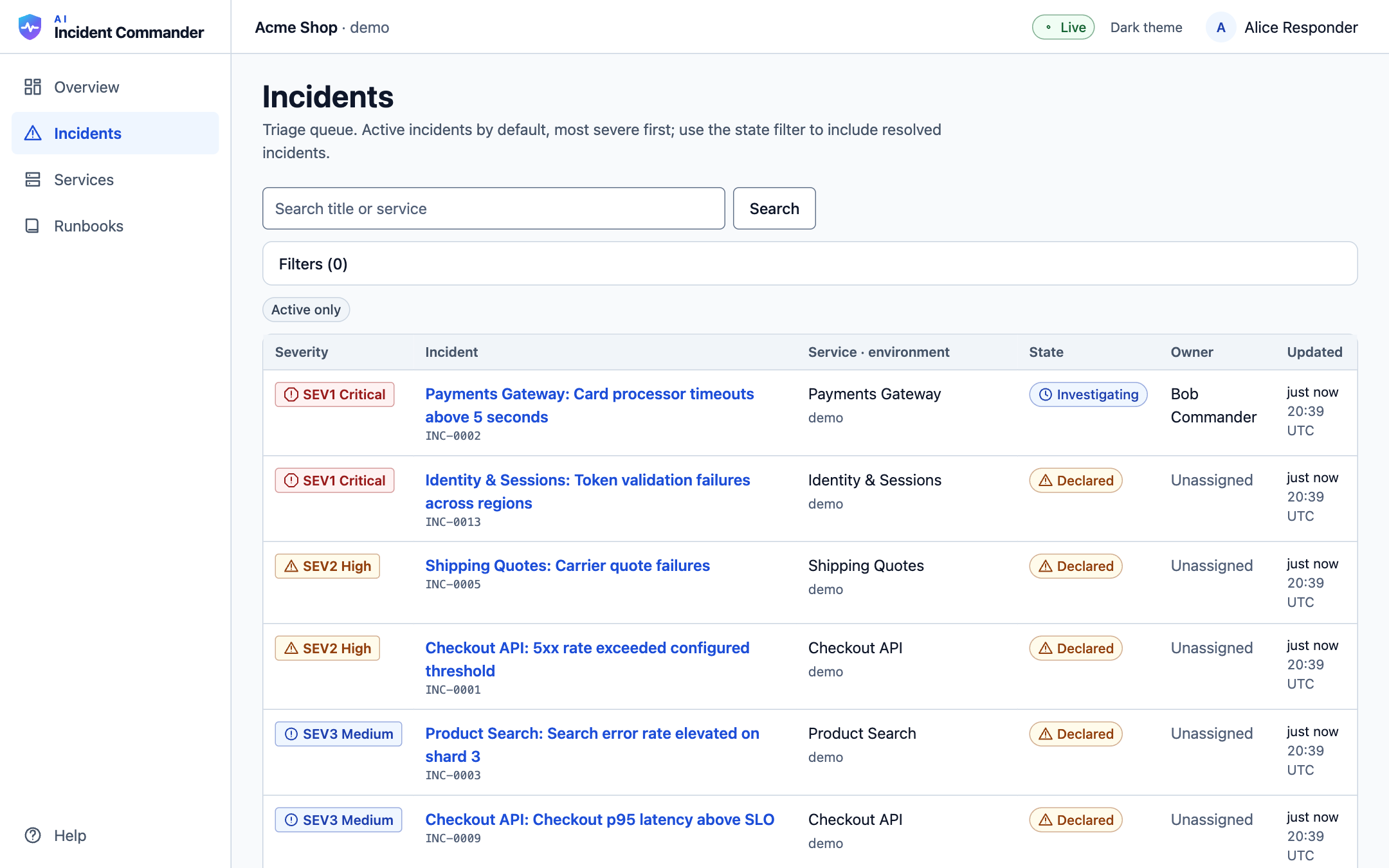
Alerts become one clear incident
Monitoring tools send signed alerts. If the same problem is reported fifty times, the team sees one incident, with the most serious problems at the top. The dashboard updates live.
- 02
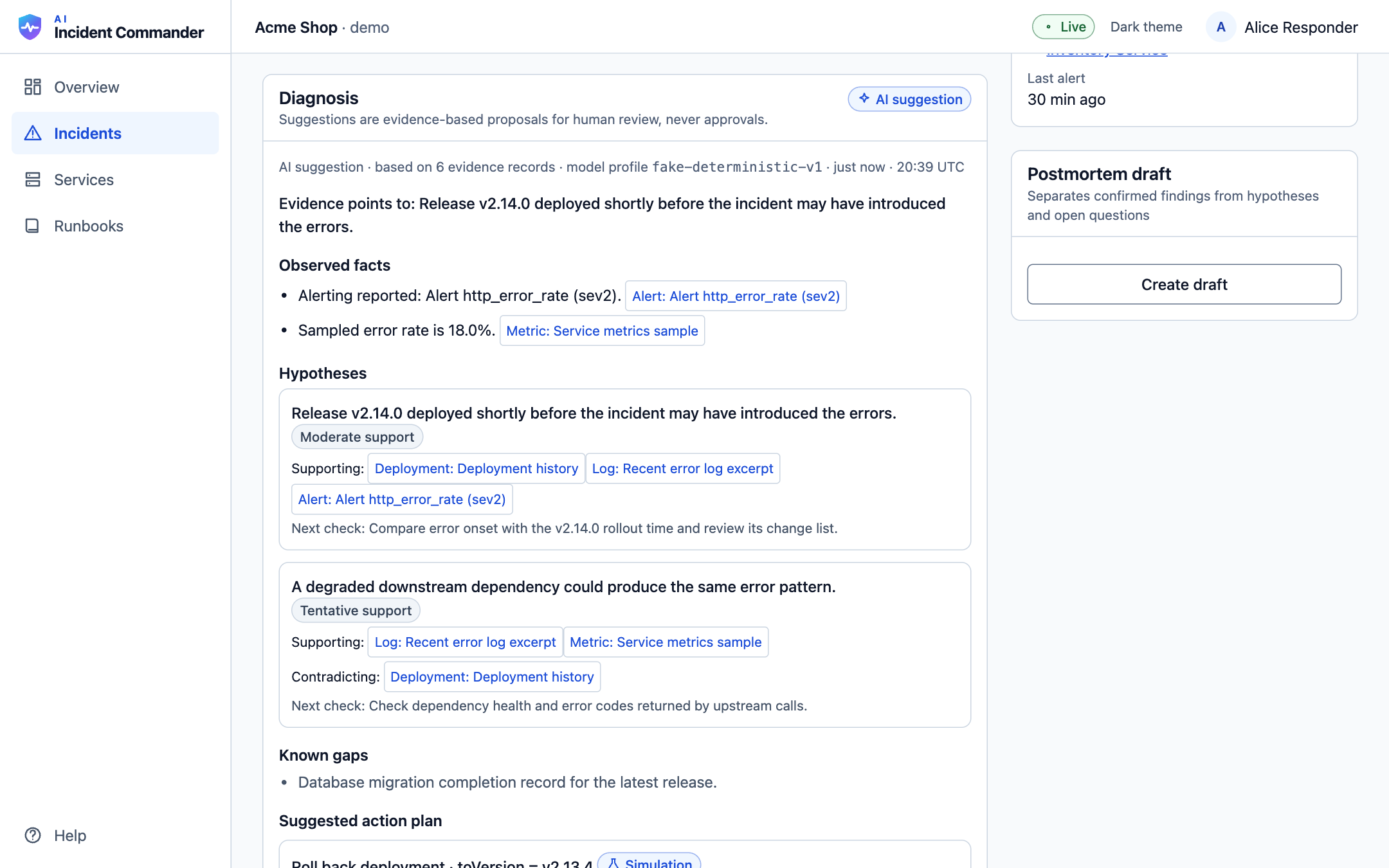
The AI does the homework
It reads the error logs, the recent deployments, metrics and the team runbooks, then explains the likely cause. Facts and guesses are kept apart, and every claim links to its evidence.
- 03
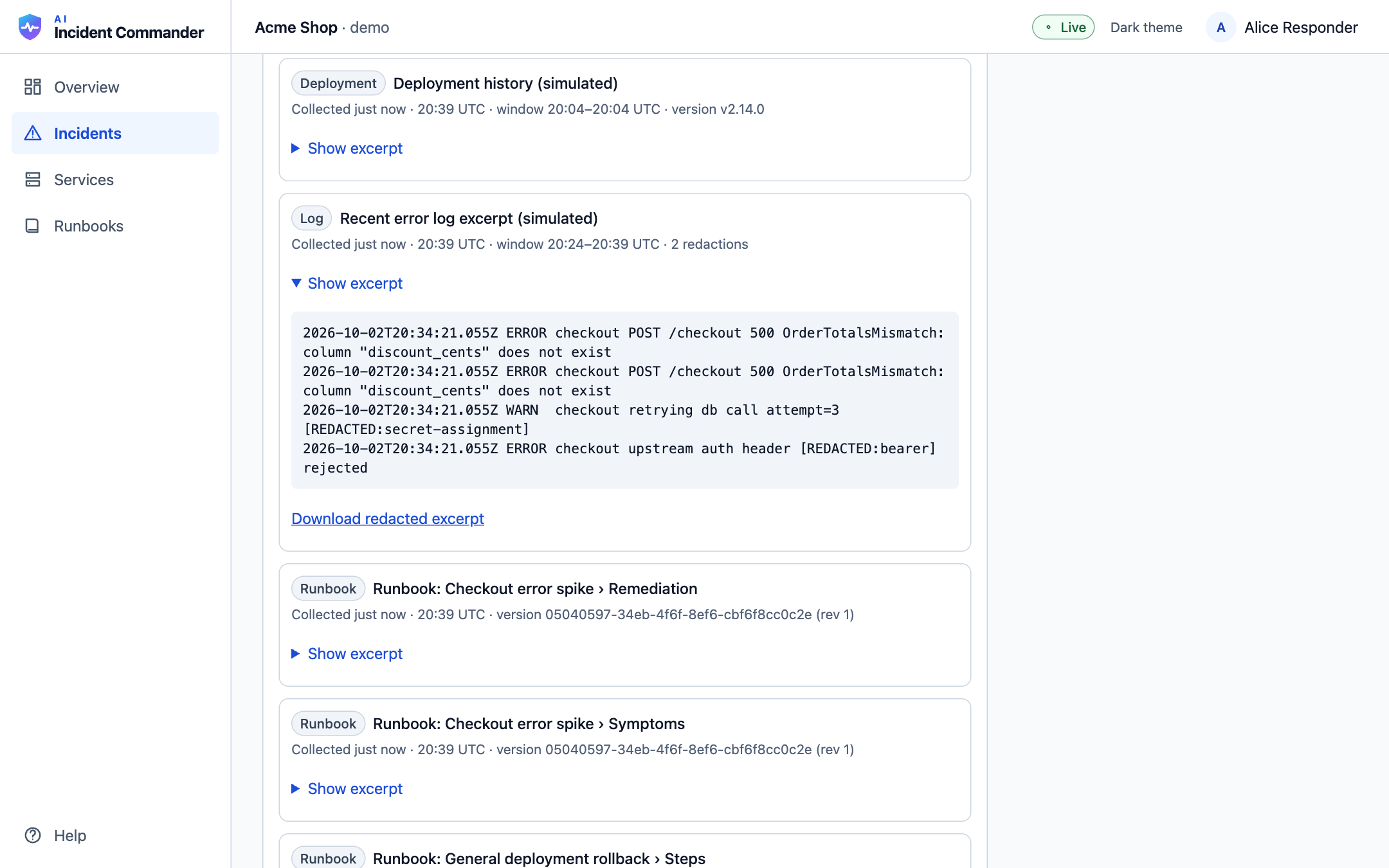
Secrets stay hidden
Passwords and keys are blacked out automatically before anyone sees them, including the AI. Text that tries to give the AI instructions is flagged and never used to justify a change.
- 04
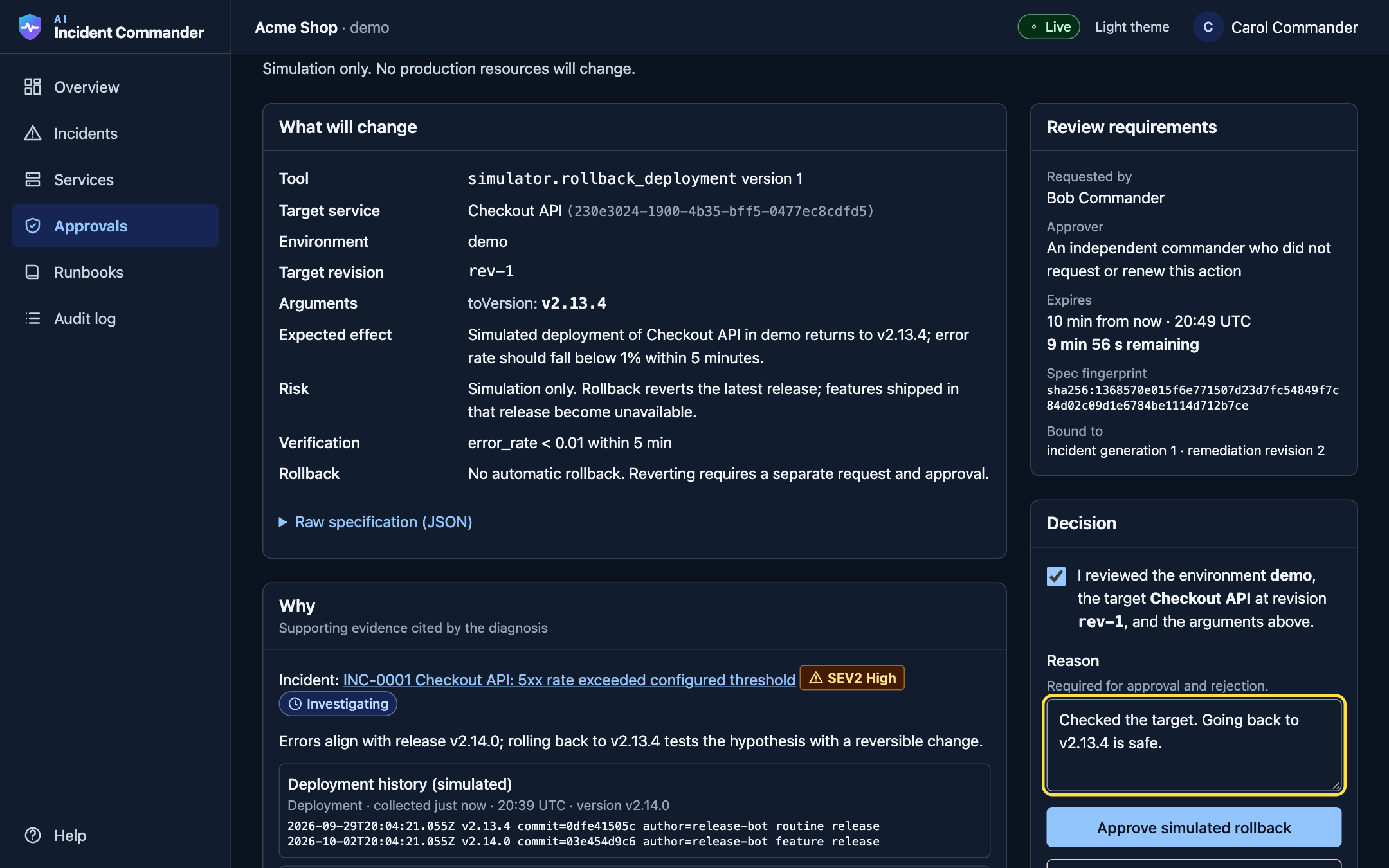
Two people, every time
The AI can only suggest. A person turns it into a request, and a different commander must approve it. The approval is locked to that exact change and expires in ten minutes.
- 05
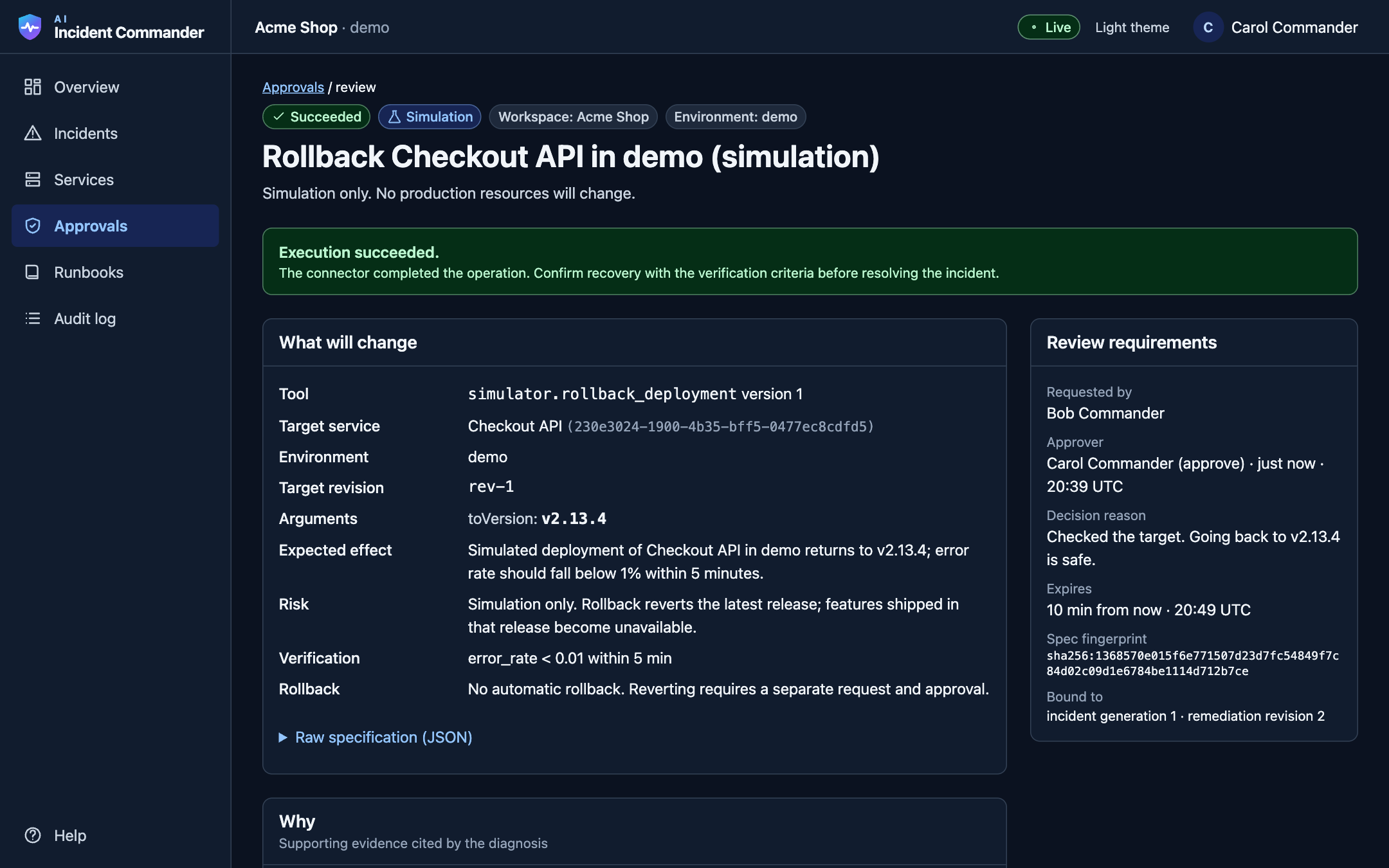
Checked again, run once
Just before running, everything is checked again: permissions, the target, the plan and the stop switch. The fix runs exactly once. An uncertain result is verified, never blindly retried.
- 06
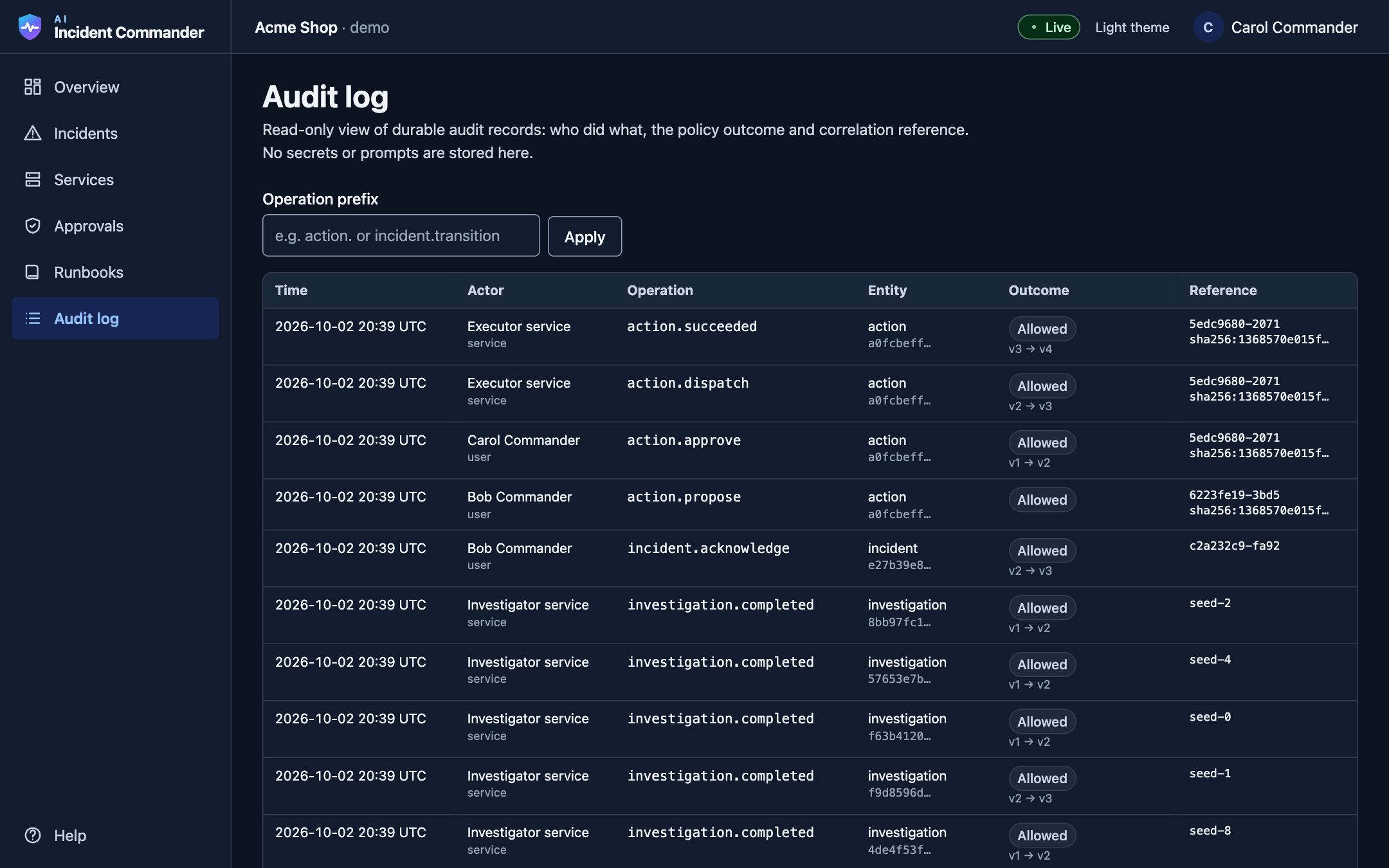
Everything is on the record
Every step lands on one timeline and in a permanent audit log: who did what, when and why, including attempts that were blocked. Hand-offs and write-ups become easy.
Wherever you are
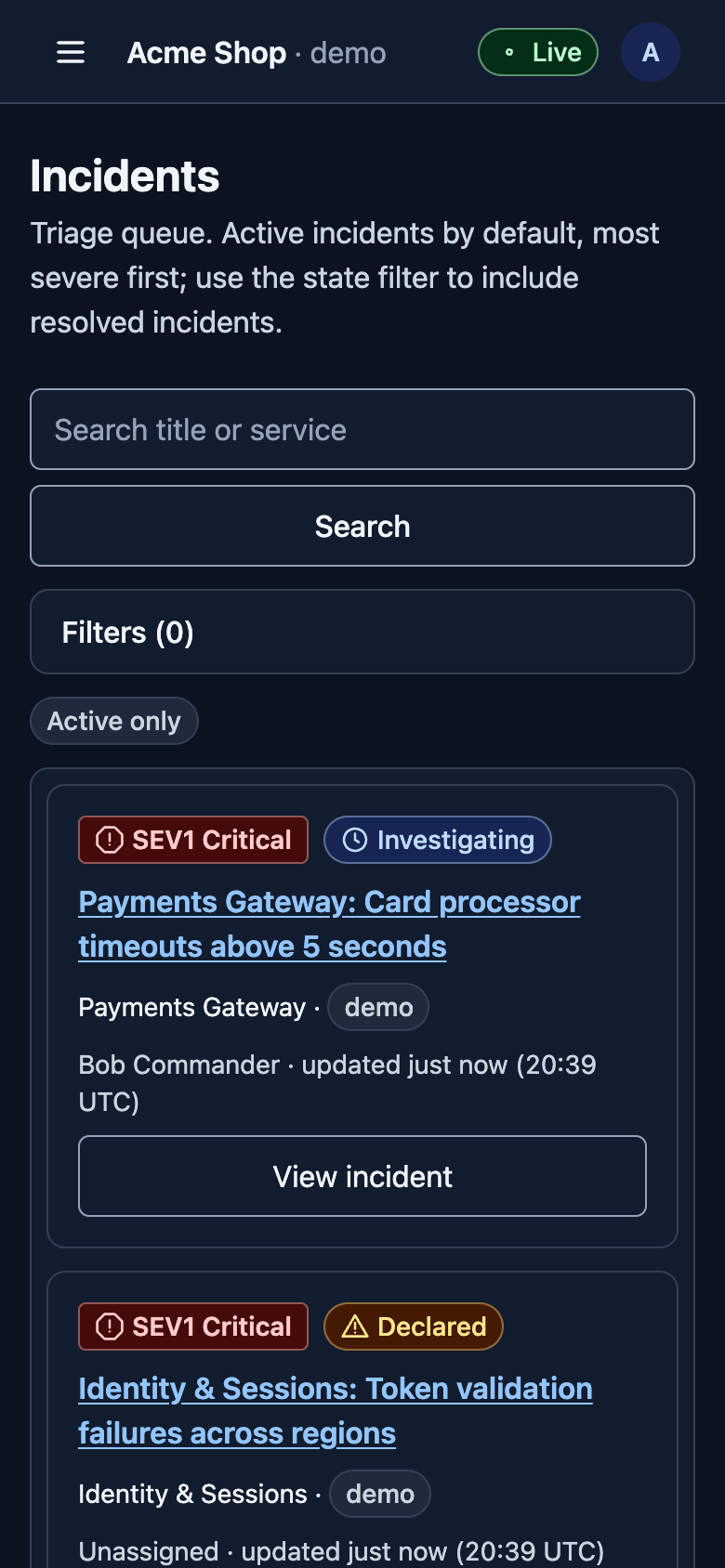
Works on your phone too
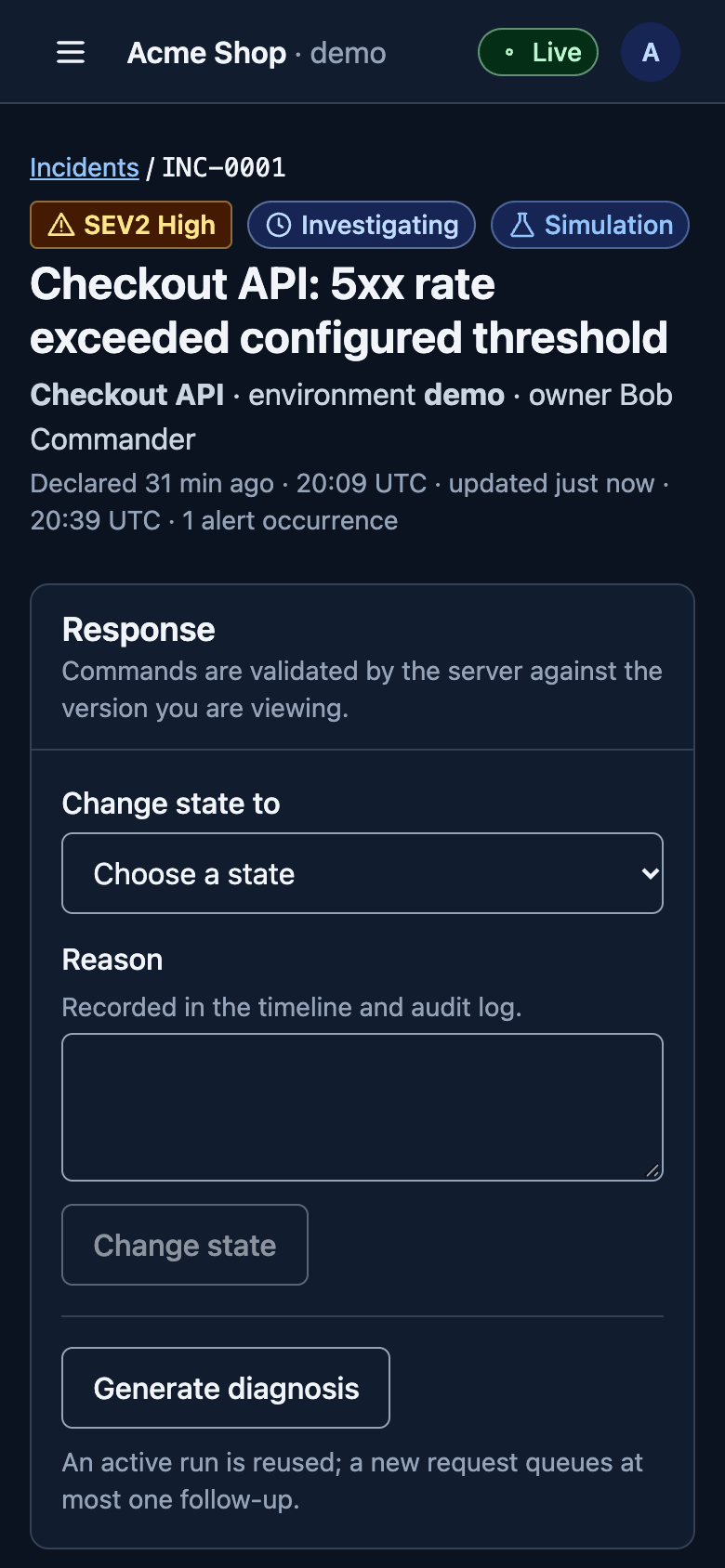
Incidents do not wait for a laptop. Every screen adapts down to 320 px, and the approval review never hides required details on small screens.
Features
Built for real incidents
Live dashboard
Open incidents, approvals and service health update in real time, with honest Live or Delayed status.
Cited AI diagnosis
Structured facts, hypotheses, known gaps and next checks, each tied to evidence.
Two-person approval
Requesters can never approve their own change. Approvals expire and cannot be reused.
Exactly-once actions
Duplicate messages never repeat a change. Unknown outcomes are reconciled first.
Secret redaction
Keys, tokens and passwords are removed before storage, display or AI use.
Prompt-injection guard
Suspicious text in logs or runbooks is flagged and excluded from justifying actions.
Versioned runbooks
Upload, index, then publish. Search only ever returns the published version.
Reviewed plugins
Connectors get narrow, per-workspace permissions that can be revoked at any time.
Tenant isolation
Every record and query is scoped to one workspace. Other teams see a plain "not found".
Postmortem drafts
One click turns the timeline into a draft that separates confirmed facts from open questions.
Works on a phone
Every screen adapts from 320 px phones to wide desktops, with keyboard and screen reader support.
Works without AI
If the AI provider is down, the full manual workflow still works.
Who it helps
Faster answers, safer fixes
Engineers
Find answers faster, with the evidence attached instead of guesses.
Managers
A safe, two-person way to say yes to a fix, with a deadline and a reason.
Companies
Shorter outages and a clear record for customers, auditors and postmortems.
Tech stack
What it is built with
A TypeScript monorepo: a web app, an API and a background worker that share one set of rules.
Next.js 16 and React 19
The dashboard you click around in, written in TypeScript.
Tailwind CSS 4
Design tokens for light and dark themes and responsive layouts.
TanStack Query
Keeps data on screen fresh and in sync with the server.
Express 5 API
Checks who you are and what you may do, then runs each command.
Zod
Validates every request and every AI answer against a strict shape.
MongoDB 8 replica set
The source of truth. Each change, its history and its follow-up work are saved together in one transaction.
Redis and BullMQ
A job queue for background work. Jobs may be delivered twice; the app makes that harmless.
Server-Sent Events
Pushes small change notices to the browser so screens refresh themselves.
Background worker
Runs investigations and approved actions in a separate process from the API.
AI provider layer
Swappable model adapters inside a bounded, budgeted workflow with citation checks.
Policy gateway
Every tool call must pass workspace, plugin, target and approval checks.
Vitest
77 automated tests, including cross-tenant leaks, approval races and duplicate delivery.
Try it
Run it locally
Needs Node 22+ and Redis. MongoDB runs as a local replica set; no paid services are required.
git clone https://github.com/Omiii-215/ai-incident-commander.git
cd ai-incident-commander
cp .env.example .env
npx pnpm@12.8.1 install
npx pnpm@12.8.1 dev:mongo     # terminal 1
npx pnpm@12.8.1 seed          # terminal 2 (with redis-server running)
npx pnpm@12.8.1 dev           # open http://localhost:3000